For Dayna · Glow By Dayna
Your system, built from your own words.
Everything you asked for, by text, by email and in the studio, and exactly how each one gets built. Read it at your own pace. Anything you'd change, write it at the bottom and send it to me in one tap.
01 · Already built
What you have today.
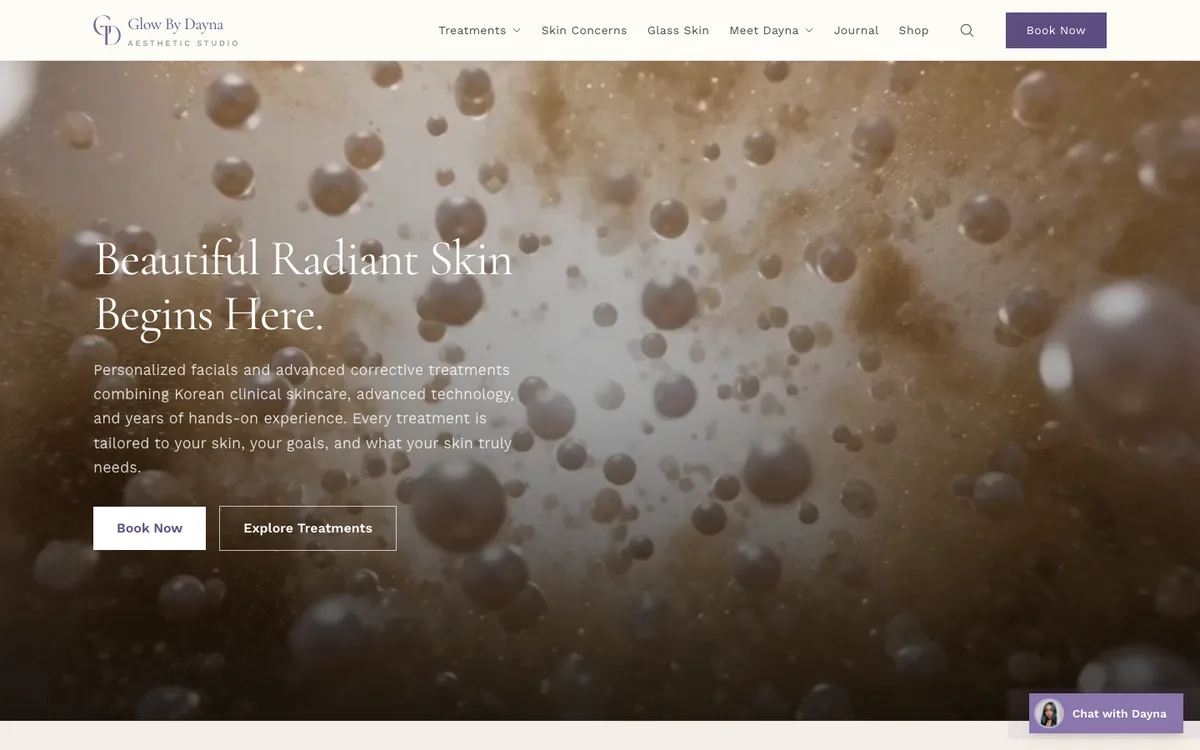
Your studio site
glowbydayna.studioraine.art
Every treatment, collection, skin concern and journal entry in your copy. This is what goes live on glowbydayna.com.
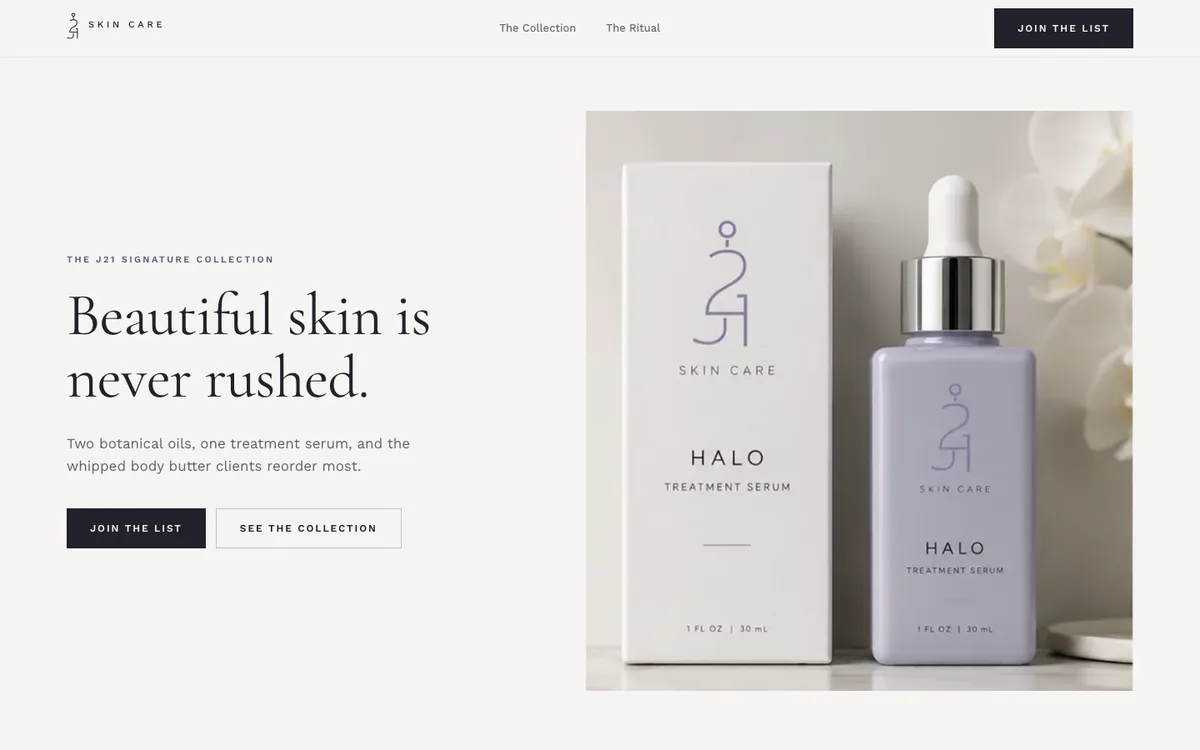
J21 Skin Care
j21skincare.studioraine.art
The four launch products. Your Sep 16 copy, new packaging and page templates go in next.
02 · Your questions
Three things you asked me. Answered.
Your email, Sep 22
“Let me know if the S700 is a good fit for the way you're building everything and if all of this makes sense before I order it.”
Yes. Order the S700.
Stripe recommends the S700 for exactly this kind of custom system: the system sends the visit straight to the reader, with no Stripe app in between.
The screen shows the client the itemised visit, then the tip screen with your three percentages, a custom amount and no tip. They tap their card, and the receipt is emailed.
It runs on WiFi (or the optional Ethernet dock). If the internet drops, the reader can't take cards until it's back, so keep the studio WiFi solid.
Your text, Sep 4
“when I get pics do they have to be jpegs, can they be a screenshot or two.”
Send the originals. A screenshot only works if it's big.
Any format is fine: JPEG, PNG, HEIC, straight from your phone. The format doesn't matter, the size does.
A photo has to be at least 2,000 pixels wide to look sharp across a laptop screen. A screenshot of a stock photo is usually the small preview, so it goes soft. For anything you buy, download the full-size file and send that.
Your own photos of your room and your machines beat stock every time. AirDrop or email them full size, never through a text, which shrinks them.
Your text, Oct 1
“Please get back to me today and let me know what happened, where things stand with the beta, and the sites and when we can reschedule.”
Here's exactly where it stands.
The studio site and J21 are built and live on preview addresses (section 01). The studio site is ready for glowbydayna.com as soon as you send the invites in section 08.
The system is planned piece by piece below, from your own emails. Section 07 is the order it gets built in. Change anything you want in section 09 and it goes straight to my phone.
03 · Your words, built
Everything you asked for, and how it works.
Your words on the left, copied from your texts and emails. What the system does about each one on the right.
Booking
From our first call (Jun 22) and the studio (Aug 24)
“Acuity is a pain in the ass, so better flow for scheduling”
Your own booking page on your own site. A client picks a concern or a treatment, sees your real times, pays the deposit, done. Acuity stays on until you've run a full week on the new one and you're happy.
“Ease of appointments. Being able to change it up.”
Your week is a grid you tap to open or close (section 04). Changes go live the moment you save.
“I want to change the 24 hour minimum rule.”
Each treatment gets its own notice window and deposit. A brow shape can book 30 minutes out; a plasma treatment can ask for three days.
“You start with the problem they may have -> prompt them to click -> show corresponding services , not the services first”
Booking starts from the skin concern, the same way your site does, then shows only the treatments that fit.
Checkout
Your email, Sep 22
“when I open an appointment and go to checkout, everything for that visit would already be there, the treatment, enhancements I added, the total, and whatever deposit/down payment they already paid when they booked. and any product sthey get too.”
Checkout opens on the visit, already filled in. The deposit shows as paid and comes off the total.
“If that day's treatment is part of their series, there wouldn't be a treatment charge, but if they added an enhancement or something that isn't included, it would just calculate whatever they owe for the extras.”
Series and packages are tracked per client: bought, used, left. A visit inside a series charges only the extras, then takes one session off.
“I may decide to add something during the actual treatment, so I want to be able to quickly add an enhancement before checkout and have the balance update automatically.”
One tap adds an enhancement to the visit. It sits under the treatment, itemised, and the total updates on the spot.
“I'd also like the tip screen to come up so the client can choose a percentage (im thinking 15% 18% 20%) or enter a custom tip or select no tip without me having to ask them.”
The S700 shows 15%, 18% and 20%, a custom tip and no tip. Tips are recorded on their own line, never mixed into service revenue.
“It would also be great to have the option for split payments”
One visit can be paid across two cards. The system keeps both payments on the same visit, so the client record still shows one appointment, fully paid.
“Same idea with memberships, included enhancements, promotions, credits or gift cards.(when i get them) If something is already included or paid for, the system should recognize it so the client isn't accidentally charged again.”
Glow Society inclusions, credits and gift card balances live on the client record and apply themselves at checkout. You can still override anything by hand.
After they pay
Your email, Sep 22
“mark the appointment paid, attach the payment to that appointment and client, record what they paid that day, what deposit had already been paid, any series/package or credit that was used, enhancements, discounts, gratuity, etc.”
All of it is written in one step when the payment clears, and only when Stripe confirms it cleared.
“if a card is declined, the reader disconnects or something happens in the middle of checkout, I want to make sure the appointment doesn't accidentally show as paid or that we don't accidentally charge the client twice when I try again.”
A visit is marked paid only when Stripe confirms the money. A retry reuses the same payment, so a second tap can't charge twice.
“I'd also like refunds to be fairly simple from the admin side, including partial refunds if necessary, while still keeping a record of the original transaction.”
Refund all or part from the client's profile. No card needed in the room. The original payment stays on record with the refund under it.
“I don't need or want actual card numbers stored in our system”
Card numbers never touch the system. The reader encrypts the card and Stripe holds it. The system only keeps what you need: amounts, dates, and the card's last four digits.
Follow-ups and the shelf
Aug 24, in the studio
“A $300 service, an $80 product, one itemised receipt, and I can track inventory.”
Products go on the same receipt as the treatment and come off your stock count when they're paid for.
“I have a generic reminder, but no follow ups. I want one that sounds like me.”
Every message is written from your own published words and comes to you to approve before it can send.
“If they buy a service, the reminder should match that service, and how often it actually needs doing.”
Each treatment has its own clock and its own message (section 05).
04 · The calendar
Your week, changed with a thumb.
The week itself, not a screen about the week. Tap a block to close it, tap it again to open it, and it's live on your booking page before you put the phone down. Try it.
This week
Live
- A day off next week
- Close the three blocks. Two seconds.
- A fortnight away
- Pick the dates, close the range, set the message clients see.
- A late start on a Monday
- Drag the morning shorter. It doesn't touch any other day.
- A last-minute cancellation
- The slot reopens and goes out to the waitlist.
- Something already booked in
- Stays booked. You get told which, rather than finding out later.
Minimum booking notice
The rule you said you wanted to change.
| Service | Notice | Buffer | Deposit |
|---|---|---|---|
| The Signature Brow Shape$65 | 30 minutes | None | |
| Dermaplaning™$150 | 2 hours | None | |
| The Oxygen Glow Express™$175 | 2 hours | None | |
| Essential Glow Facial™$225 | 4 hours | None | |
| Microneedling$350 | 48 hours | $100 | |
| The Signature Plasma Sculpt™$700 | 72 hours | $200 |
Each service answers to its own number, and you change any of them from your phone.
05 · The follow-up
Every service, its own follow-up.
Pick any one. The interval comes off your own treatment page, and the message is written from your own words about that treatment.
Seven facials on a four to six week rhythm, each with its own reason to come back.
The Clarity Facial™
$250 · 60 min“The Clarity Facial™ is typically recommended every two to four weeks during periods of active breakouts before transitioning to a personalized maintenance schedule as your skin improves.”
- The only service on a fourteen day clock, because your page says fourteen days
- Steps down to a four to six week rhythm once you mark the skin clear
One client, followed up
Six visits across a clearing phase, at two to four weeks apart.
$1,500
Day 3 · the check-in
Day 14 · the rebooking
06 · The checkout
Open the visit. Hit checkout. Hand her the S700.
Your Sep 22 email, working. Change the visit on the left and watch the receipt, the series and the shelf follow.
Amanda, today at 10:30
Her series
Blue Renewal Peel™
4
Bought
1
Used
3
Left
No treatment charge today. One session comes off when she pays.
Glow By Dayna
Checkout · Amanda · emailed receipt
Blue Renewal Peel™
Session 2 of 4 · in her series
Included
Nano Infusion Enhancement
Added during the treatment
$75.00
HALCYON Botanical Facial Oil
J21 Skin Care · retail
$80.00
On the S700, she picks
Waiting for her card.
07 · Build order
The order it gets built in.
One piece at a time. You see each one working before it touches a client, and nothing you use today is switched off until its replacement is running.
01
glowbydayna.com goes live
Your new studio site replaces the Squarespace one. Booking keeps running through Acuity during the switch, so nothing about how clients book changes yet.
From you: The two invites in section 08.
02
Your menu and your clients move over
Every treatment, price, enhancement, series and membership loaded as it reads today, plus your client list from Acuity.
From you: An export from Acuity. I'll show you the two clicks.
03
Booking and the calendar
Your own booking page, per-treatment rules and deposits, and the week grid. Acuity stays paid until you've run a week on it.
From you: Your hours and your deposit rules, one sitting.
04
Checkout and the S700
Everything in section 06: series, enhancements, tips, split payments, refunds, the shelf.
From you: The S700 on your counter and Stripe access.
05
Follow-ups
One message per treatment, in your words, switched on biggest first.
From you: Reading and approving each message.
08 · glowbydayna.com
Two invites, and your site is live.
You never send me a password. Cloudflare and Stripe both let you invite me by email, and you can remove me any time. I do the technical part from there.
Bought at: Network Solutions, paid through Feb 19, 2027
Settings live at: Cloudflare
Showing today: your Squarespace site
01
Cloudflare
Your domain's settings (its DNS) live here right now. This is the only place that has to change to put the new site on glowbydayna.com.
- 1.Log in to Cloudflare. Use the email you'd have used when the old site was set up; if you've never heard of Cloudflare, text me, the person who built your Squarespace site set it up.
- 2.Open Members (under Manage Account), then Invite.
- 3.Invite johnraine@studioraine.art, scope it to glowbydayna.com, and give it a role that can edit DNS (Administrator works).
- 4.Select Continue to summary, then Invite.
02
Stripe
For the S700, deposits and checkout. Your money goes straight to your account; I only get access to build.
- 1.Log in to Stripe and open Settings, then Team.
- 2.Select Add member.
- 3.Enter johnraine@studioraine.art, choose the Developer role, then Send invites.
- 4.No Stripe account yet? Create one with the second button, in your business's name.
03
Network Solutions
Where you bought glowbydayna.com. Nothing to change here. Just make sure it renews: it's paid through February 19, 2027.
- 1.Log in and open Domain.
- 2.Check glowbydayna.com has auto-renew on.
- 3.Only if Cloudflare isn't yours: under Advanced Tools, open the nameserver settings and text me a screenshot.
04
Squarespace
Your current site. Keep it paid until the new site is live on glowbydayna.com and you've checked it.
- 1.Do nothing yet.
- 2.Once you've seen the new site live, open Domains in Squarespace, pick glowbydayna.com, and choose Disconnect domain. Then you can cancel the site plan.
Your booking link runs on Acuity's own address (glowbydayna.as.me), not on glowbydayna.com, so clients can keep booking straight through the switch. J21 Skin Care (j21skincare.com, at GoDaddy) works the same way when it's ready to launch.
09 · Your notes
Change anything. Send it in one tap.
Write every adjustment and preference here, as much or as little as you like. Then tap iMessage this: Messages opens with your exact words to me, and you just press send.
Saved on this device as you type.
Goes to my number, (929) 773-9503. On a computer that doesn't open Messages, use Copy instead and paste it into a text.